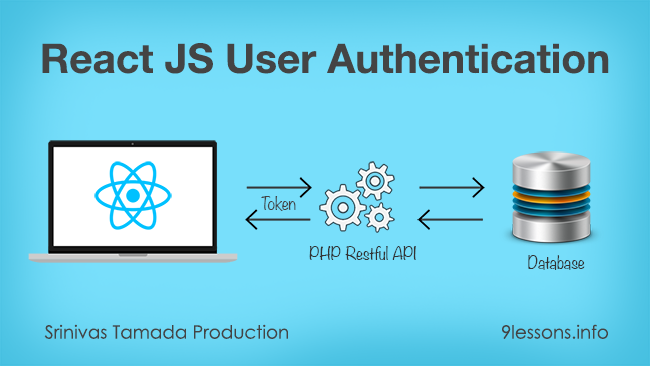
Here is the continued article on my previous post for creating a welcome with login and logout using ReactJS. Today’s post explains how to implement login authentication system for your React JS applications. It will show you how to log in with a user and store the user session, so it deals with token-based authentication. Since we are using token-based authentication, it protects if any unauthorized request is made and notices for a new login if required. This makes your application’s authentication to be more secure compared with any other authentication system. Every user details will be stored in an external database and a PHP based API is used in the backend for handling this authentication. Hope you’ll find it more easily using this as your authentication system in your ReactJS projects. Let’s look into the live demo and follow the below code.
Days back, I have posted an article on how to create a welcome page with proper login and logout using Ionic 3 and Angular 4. Today’s article is to create the same welcome page with ReactJS and ES 6. The article is about how to login/signup to get inside the application home page, you can navigate to different pages and finally you end up with a logout action. Lets see how to set a starting page with navigations using ReactJS and ES 6.
Video Tutorial: ReactJS Welcome Page with Routing Tutorial
Software Engineer After announcing the Firebase Admin SDKs for Node.js and Java at the Firebase Dev Summit in Berlin last year, we received many feature requests to bring the platform to Python developers as well. Now, we're pleased to announce that first release of the Firebase Admin Python SDK, focusing on Firebase Auth token minting and verification.
What are the Admin SDKs?
The Firebase Admin SDKs provide developers with programmatic, second-party auth access to Firebase services from trusted environments. Second-party here refers to the fact that the SDKs are granted elevated permissions that allow them to do more than a normal, untrusted client device can. The Admin SDKs get these elevated permissions since they are authenticated with a service account, a special Google account that can be used by applications to access Google services programmatically. The Admin SDKs are meant to complement the existing Firebase web and mobile clients which provide third-party, end-user access to Firebase services on client devices.
What is available in the Admin Python SDK?
As with the other Firebase Admin SDKs, the Python SDK can be initialized using a variety of built-in credential types. The following code shows how to authenticate the SDK using your own service account key file:
import firebase_admin from firebase_admin import credentials
If you are running your code on Google infrastructure, such as Google App Engine or Google Compute Engine, the SDK can auto-discover the credential, allowing you to initialize the SDK with no arguments:
firebase_admin.initialize_app()
The Python Admin SDK contains Firebase Auth custom token minting and ID token verification. The custom token minting gives you complete control over authentication by allowing you to authenticate users or devices using your own authentication system.
The best place to start is with our Admin SDKs setup guide. The guide will walk you through how to download the SDK, generate a service account key file, and use that key file to initialize the Admin SDK.
What is coming next?
We plan to continue to build out the Admin Python SDK to include features already available in the other Admin SDKs, such as a user management API and an FCM API to send messages. We also plan to bring these token minting and verification features to even more languages. To see what APIs are available in each of the Admin SDKs, see our new feature matrix.
To all those Python developers out there, happy hacking!
These days, there are no projects that do not have a REST API for creating professional web services. REST ( Representational State Transfer) consists set of guidelines to build a web service, which can be used to modify or view specific information on the web without performing any server side operations. Using RESTful APIs saves huge amount of time. Twitter, Facebook, Google and thousands of companies use REST APIs. This is because REST is the most efficient and widespread standard in the creation of APIs for Internet services.
My previous article gives you an understanding of how to develop any application using RESTful APIs. But, mere implementation of API is not enough for making it more effective. It requires a proper authentication and more security. Here is the article for a secured RESTful API on a token basis. An encrypted token, which is generated based on your site id and ip address is sent with the request call; this token is then be used to authenticate to use a RESTful service in your application. Follow the demo below for your reference.
Two years back we had published an article called create a RESTful Services using PHP, in that most the PHP methods got depreciated. I have been looking for a simple RESTful api framework in PHP, I found few lightweight frameworks called Slim and Epiphany. In this tutorial I had implement a sample user updates RESTful web services project using Slim framework in PHP, it is very simple to implement and only focused on RESTful.
If you are working with Restful API’s and you must need to send a JSON input response via web project, especially for Node projects. This post helps you to create a JSON input string using JavaScript. It's very useful, converting Data objects to JSON data format implemented with $.toJSON Jquery plugin.
Are you working with multiple devices like iPhone, Android and Web, then take a look at this post that explains you how to develop a RESTful API in Java. Representational state transfer (REST) is a software system for distributing the data to different kind of applications. The web service system produce status code response in JSON or XML format.